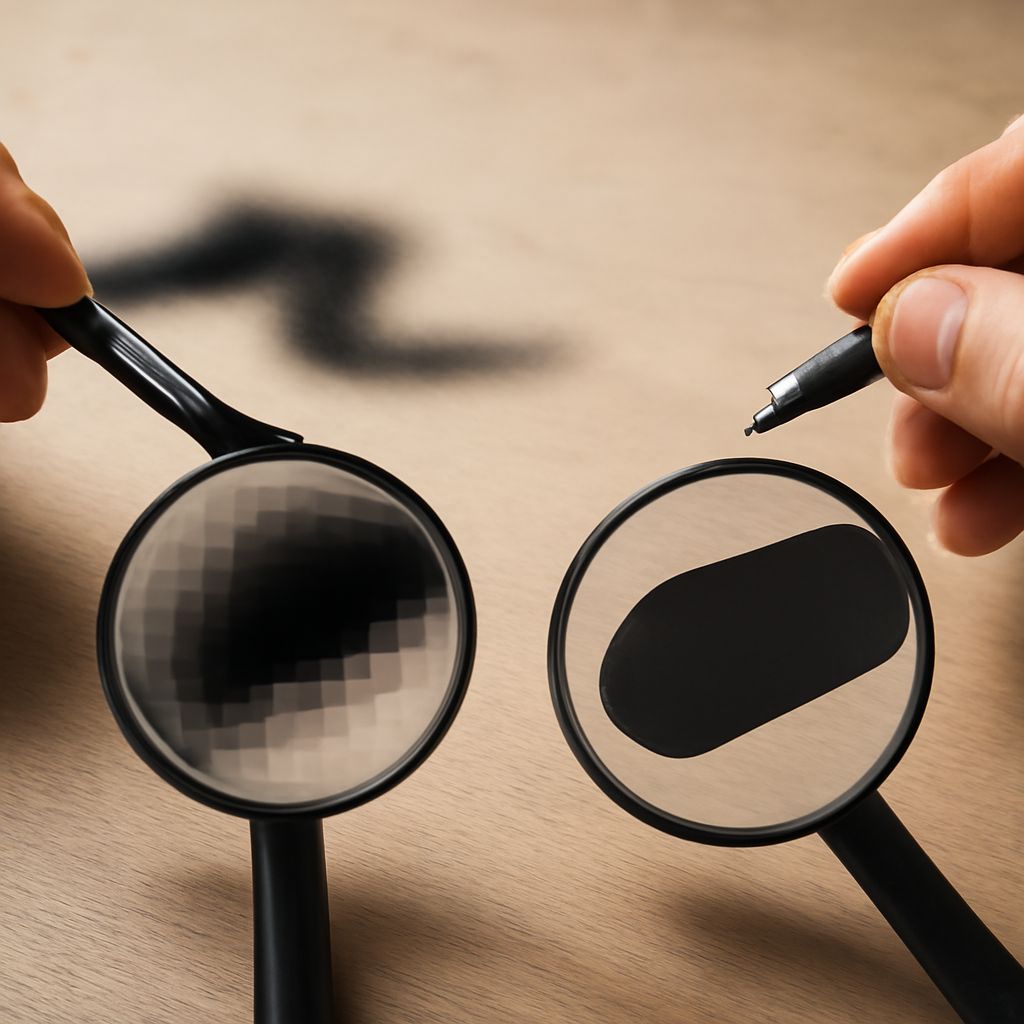
In the world of digital imagery, understanding the difference between vector and raster images can significantly enhance your photography editing skills. With these insights, you gain the ability to choose the most appropriate formats for your projects, ensuring the best quality and flexibility. What is a raster image, and how does it differ from a vector image? Let’s explore these concepts to unlock the full potential of your photographic pursuits.
What is a Raster Image?
A raster image is made up of a grid of pixels, each containing a specific color value. This format is commonly used for photographs and detailed images due to its ability to capture intricate details and subtle color variations. When you zoom in on a raster image, you’ll notice the pixels appearing as tiny squares. This attribute makes raster images ideal for complex visuals but less suitable for scaling, as enlarging them often leads to pixelation.
Common file types for raster images include JPEG, PNG, and GIF. When editing raster images, you can use software like Adobe Photoshop, which offers an array of tools to manipulate individual pixels, enhancing the image’s overall look and feel.
Understanding Vector Graphics
Unlike raster images, vector graphics are composed of paths defined by mathematical equations. These paths create shapes and lines that are scalable to any size without losing resolution. This makes vector graphics perfect for designs that require resizing, such as logos or illustrations.
Vector files are usually saved in formats like SVG or AI and are best manipulated using programs like Adobe Illustrator. With vector graphics, you have the flexibility to edit paths, shapes, and colors, allowing for infinite adjustments without compromising quality.
Vector vs Raster: Key Differences
The primary difference between vector and raster images lies in their scalability and detail. Raster images excel in detail and color depth, making them suitable for complex scenes and photographs. However, their pixel-based structure limits their scalability.
On the other hand, vector graphics are inherently scalable. Their path-based nature ensures they maintain high quality at any size, which is why they are preferred for graphics requiring frequent resizing. When deciding between the two, consider the project’s needs—detailed photographs or infinitely scalable graphics.
Applications in Photography
When it comes to photography, understanding when to use raster or vector images can greatly impact your project’s outcome. For detailed images like portraits or landscapes, raster images are your go-to choice due to their ability to capture every nuance.
However, for tasks like creating watermarks, logos, or any graphics that need to be resized regularly, vector graphics offer the flexibility and quality you need. Knowing which format to use based on the project requirements ensures that your final output is both professional and visually appealing.
Incorporating both raster and vector images into your workflow can provide a comprehensive toolkit for various photography and graphic design needs, ultimately enhancing your creative potential.