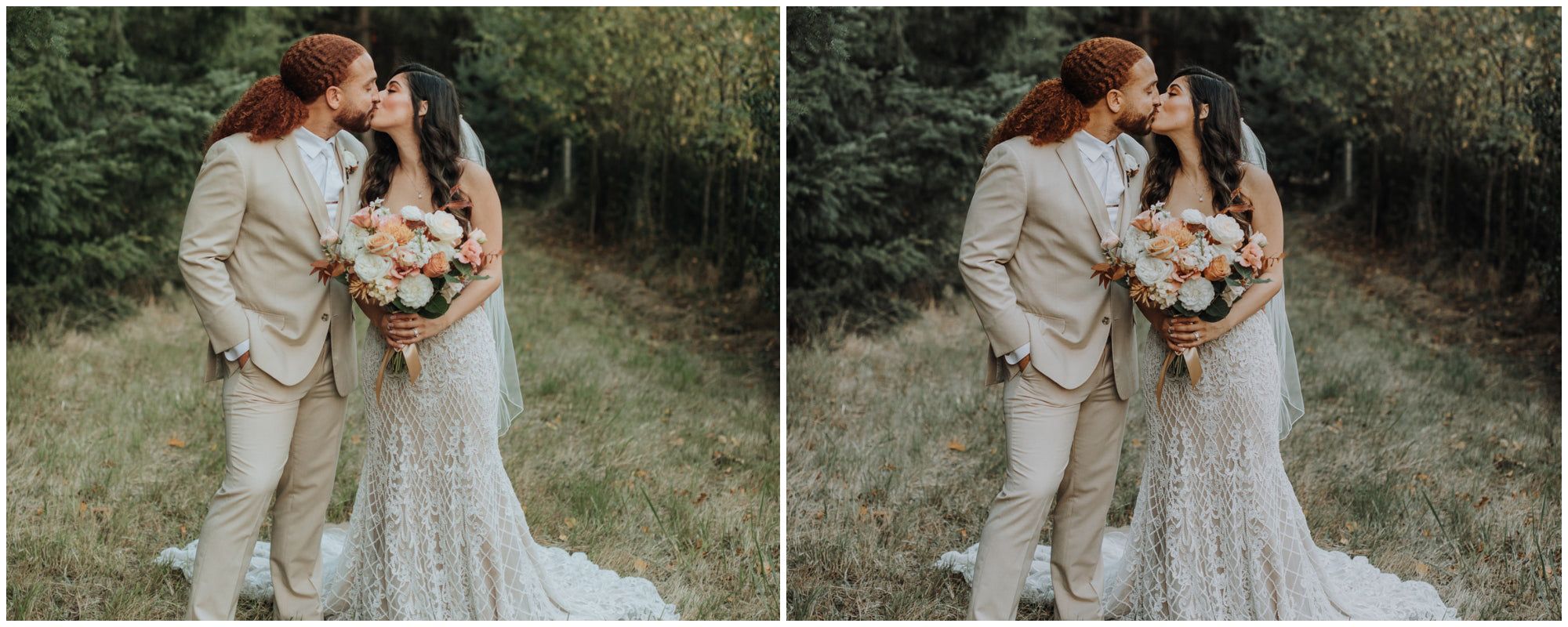
Photo Presets, Editing PCs, and Finding the Best Photo Spots
Photo presets, a capable photo editing pc, and knowing where your local photo spots are — these three elements together determine how efficiently you move from shooting to finished images. A great location produces raw material. A good preset provides a starting point that cuts editing time. The right hardware runs the software without bottleneck.
This guide covers how to choose and use photo presets effectively, what to look for in computers for photo editing, how to find photo spots in any area you’re visiting or living in, and where to find a photo books promo code when you’re ready to print your work.
Photo Presets: How to Use Them Without Over-Relying on Them
Photo presets are one-click starting points for Lightroom or Capture One that apply a set of adjustments — exposure, contrast, color grading, grain — consistently across multiple images. Their value is speed: a preset that gets you 70% of the way to your final look in one click saves 5–10 minutes per image in a high-volume workflow.
The problem with photo presets is over-reliance. A preset designed for a golden hour outdoor portrait will look wrong applied to a blue-sky midday street scene. Every preset requires manual tweaking for exposure, white balance, and local adjustments after application. Treat presets as drafts, not finished edits.
Free photo presets from established photographers (VSCO, RNI Films, Mastin Labs) give you quality starting points without spending $50–$200 on commercial preset packs. Download 3–5 that match your visual aesthetic and learn what each one does to exposure, hue, and tone curve rather than just using them blindly.
Computers for Photo Editing: What Actually Matters
Computers for photo editing require three things above all: RAM, fast storage, and a calibrated display. For Lightroom with a catalog of 10,000+ images, 16GB RAM is the minimum; 32GB is the working standard for professional use. A fast SSD (NVMe, not SATA) makes catalog loading and export dramatically faster than a spinning hard drive — the difference between a 45-second export and a 4-minute one.
A photo editing pc with an M2 or M3 chip (Apple Silicon Macs) or an AMD Ryzen 7/9 or Intel Core i7/i9 handles RAW processing without the lag that older hardware creates. GPU acceleration in Lightroom offloads mask processing and AI tools to the graphics card — an RTX 3060 or better makes a material difference in responsiveness for those features.
Finding Photo Spots and Using Photo Books Promo Codes
Finding photo spots in a new city starts with three resources: local photography Facebook groups (search “[City Name] Photography”), Atlas Obscura for unusual and overlooked locations, and Google Maps satellite view for identifying rooftops, alleyways, and open spaces that don’t appear in standard tourist guides.
Once you have images worth printing, a photo books promo code makes the final step more affordable. Shutterfly, Artifact Uprising, and Chatbooks all run seasonal promotions (20–40% off) in Q4 and around Mother’s Day. Signing up for email lists at each service gets you a first-order promo code automatically. A photo books promo code from Artifact Uprising or Chatbooks typically runs 15–25% off and applies to hardcover lay-flat books, which display landscape and portrait images the most effectively.