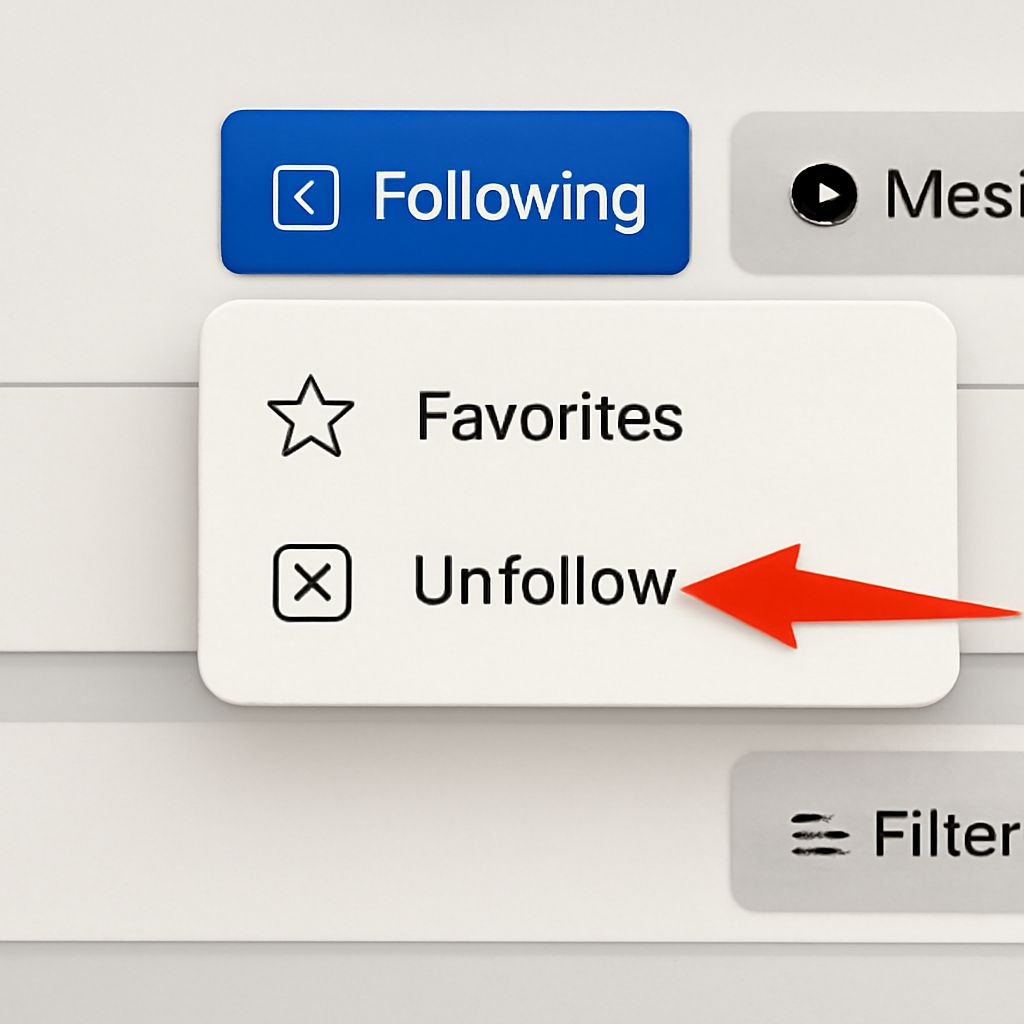
Social media gives you the power to shape your experience, and sometimes that means muting voices that no longer serve you. If you unfollow someone on Facebook what happens—will they know, and how does it change your online world? Learning these details helps you manage your feed, privacy, and relationships without drama.
Maybe you want less negativity, or perhaps you just need a break from someone’s updates. Understanding if you unfollow someone on Facebook will they know is key for keeping things smooth, whether you’re curating your digital space or preventing awkwardness with friends, coworkers, or family.
What Does Unfollowing Mean on Facebook?
Unfollowing on Facebook is a simple, powerful tool for adjusting what pops up in your News Feed. When you unfollow someone, you remain friends or connected, but you no longer see their updates or posts unless you visit their profile directly. It’s like putting their content on mute without removing them from your social circle.
You can unfollow anyone—friends, pages, or groups—without any permanent action. The person stays on your friend list unless you decide to unfriend them, but their updates stop showing up by default. This is different from muting, which can sometimes be temporary, or snoozing, which hides them for a short time.
If you start noticing posts that don’t match your interests or mood, unfollowing is a one-click adjustment. You can always reverse this decision—just visit the person’s profile and click “Follow” again. The process is private and doesn’t require explanation, so it’s great if you want subtle control over your social feed.
Using the unfollow button is common for people wanting to manage social media stress without burning bridges. It’s especially handy for handling family, old classmates, or coworkers you need to keep as connections but whose updates you’d rather skip.
If You Unfollow Someone on Facebook What Happens to Your Feed?
Once you unfollow someone on Facebook, their posts and activities vanish from your main feed almost instantly. You won’t see updates, shared content, or reactions from that person unless you seek them out. This effect is immediate, and it stays in place until you decide to follow them again.
Your feed gets a noticeable refresh. The more people you unfollow, the more you’ll see content from others you still follow, as well as posts from pages and groups. If you’re looking to reduce clutter, stress, or repetitive content, this is an easy fix. You’ll still see mutual activity if both you and the unfollowed person comment on a friend’s post, but their personal content won’t show up by default.
For those who wonder, “If you unfollow someone on Facebook what happens next?”—your experience becomes more tailored to your current interests. The unfollowed person isn’t notified and can’t control whether you see their posts, so your changes remain private.
Unfollowing is fully reversible. If you miss updates or rekindle a relationship, just revisit their profile and tap “Follow.” Your feed will adjust again, reflecting your new preference in a few minutes.
If You Unfollow Someone on Facebook Will They Know?
One of the biggest concerns is privacy: if you unfollow someone on Facebook will they know? The answer is no. Facebook does not send any notification, message, or alert when someone is unfollowed. The process is completely discreet, and the person stays on your friend list.
Even if someone tries to check, there’s no official way to see who has unfollowed them. They might notice a drop in likes or comments, but nothing in the interface reveals your choice. This makes unfollowing a stress-free option if you wish to avoid awkward conversations.
Partial clues could arise if a person is highly attentive to who interacts with their posts, but this is rare. The system is designed to protect your privacy and intention, so you can change your News Feed without anyone feeling hurt or left out.
If you unfollow someone on Facebook will they know? Absolutely not—they only see you’re still friends, and that’s all. You get control, they stay none the wiser.
Other Effects of Unfollowing on Facebook
Aside from changing your feed, unfollowing can reduce the emotional and mental clutter common on social media. You may notice you’re less distracted, more focused, and less likely to encounter posts that stress you out. It’s a way to protect your peace without cutting people off.
Unfollowing doesn’t affect private messages, profile visits, or event invites. You can still chat, tag, or invite each other to groups and events. Your interactions outside the News Feed remain unchanged, so there’s no loss in essential social functions.
If you’re concerned about privacy, know that unfollowing does not hide your posts from the other party. They still see your content if your privacy settings allow. For more boundaries, review your privacy options or audience selectors on each post.
Experiment with unfollowing for a few weeks. You can track how your mood or focus improves and make changes as needed. The platform allows you to fine-tune your experience easily and privately.
Should You Unfollow or Unfriend?
Deciding between unfollowing and unfriending depends on your goals. Unfollowing is best when you want to keep someone as a connection but mute their updates. Unfriending, however, removes both of you from each other’s friend lists and stops all sharing unless profiles are public.
If you have a complex relationship—maybe a coworker or family member—it’s usually safer to unfollow. This way, you maintain social ties and avoid triggering unnecessary tension. Save unfriending for cases where boundaries must be clear or ties need to be broken entirely.
You can always combine these tools. Start with unfollowing and see if it’s enough. If not, consider other privacy settings or, as a last resort, unfriend. Tailor your Facebook experience to match your comfort level and real-life needs.
Safety recap: Adjusting your feed with unfollowing gives you control without risk. No notifications are sent, and you can always reverse your choice. Use these features to create a healthier, happier experience on Facebook.